Image Source: pexels.com/cottonbro studio
Api.co.id – Many people still don’t fully understand what OCR text recognition is or how it works—especially those outside the tech industry. Yet this technology plays a crucial role in modern business operations.
For companies, OCR helps streamline the management of physical documents—such as invoices, forms, identity documents, and archives—making processes faster, more efficient, and significantly more accurate. Tasks that previously required manual data entry can now be automated within seconds.
If you’re curious about what OCR is, how text recognition works, and why it’s becoming essential for organizations, this full guide will walk you through everything in a simple and engaging way.
What Is OCR Text Recognition?
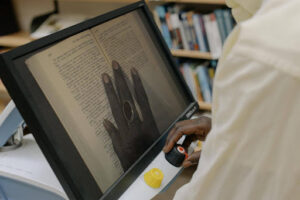
OCR (Optical Character Recognition) is a technology designed to identify text inside images, scanned documents, or photos—and convert that text into editable, searchable digital data.
In simple terms, OCR turns what your eyes see into something computers can read.
For example:
-
A photo of your ID card
-
A scanned contract
-
A picture of a handwritten receipt
-
A PDF document that contains locked or uneditable text
OCR extracts the text inside those images and converts it into formats like TXT, Word, Excel, or searchable PDF files, allowing the data to be edited, stored, or processed digitally.
A Brief History of OCR
OCR technology was first introduced in 1974 by Ray Kurzweil, who founded Kurzweil Computer Products, Inc. His early system could read printed text in multiple fonts—an innovation far ahead of its time.
By the 1990s, OCR became widely used to digitize historical newspapers and large document archives. Today, powered by AI and machine learning, OCR is far more accurate, faster, and capable of reading complex layouts—even handwriting.
How Does OCR Technology Work?
Although OCR may seem like magic, the process is quite systematic. Here are the main stages:
1. Image Scanning
The process begins by capturing an image that contains text—this could be a document scanned via a machine, or simply a photo from your smartphone.
The system converts the image into binary data, distinguishing:
-
Dark areas → potential text
-
Light areas → background
This segmentation helps OCR focus on the characters inside the image.
2. Preprocessing the Image
Before recognizing text, the image goes through preprocessing to improve clarity and accuracy. This includes:
-
Removing noise
-
Adjusting brightness and contrast
-
Straightening skewed documents
-
Enhancing blurry text
For example: if a document is scanned at an angle or is slightly blurry, OCR automatically cleans it up to ensure the text can be identified properly.
3. Character Segmentation & Recognition
Next, the OCR engine breaks the image into smaller sections—lines, words, and individual characters.
Two common algorithms then interpret the text:
Pattern Recognition
The system compares shapes in the image to a database of known characters and fonts.
Feature Extraction
Instead of comparing shapes, the system analyzes patterns such as curves, angles, and intersections to identify each character.
This combination results in far more accurate text extraction.
4. Postprocessing
Once the characters are recognized, OCR converts them into an editable digital format such as:
-
TXT
-
DOC
-
XLSX
-
CSV
-
Searchable PDF
Some OCR systems even apply spelling correction or context checking to reduce errors.
Also Read: What Is Machine Learning? A Complete Definition, Types, and Real-World Applications
Types of OCR Technologies
OCR is not just one type of technology. Here are the main categories:
1. Simple OCR
The most basic form of OCR. It recognizes individual printed characters one by one.
Best for:
-
Clean documents
-
Standard fonts
-
High-quality text
However, simple OCR struggles with blurry images or unusual fonts.
2. Intelligent Word Recognition (IWR)
IWR recognizes entire words instead of individual characters.
Useful for:
-
Languages without spacing
-
Documents with run-on text
-
Specialized text formats
3. ICR (Intelligent Character Recognition)
ICR is an advanced form of OCR capable of reading handwriting—both print and cursive.
It’s powered by AI that learns handwriting patterns over time.
Example use cases:
-
Handwritten receipts
-
Customer forms
-
Transaction notes from small shops
4. OMR (Optical Mark Recognition)
Unlike OCR, OMR detects marks, symbols, or checkboxes.
Used for:
-
Exam answer sheets
-
Surveys
-
Feedback forms
-
Logo or watermark detection
5. OCR for PDF
This specialized OCR extracts text from locked or image-based PDFs.
With PDF OCR, you can:
-
Search text inside a PDF
-
Copy and edit previously locked text
-
Convert image-based PDFs into digital documents
Why Is OCR Technology Important?
OCR is incredibly valuable—especially for industries like banking, insurance, finance, logistics, and government services. Here’s why:
1. Eliminates Manual Data Entry
Typing data manually from physical documents into a system takes hours and is prone to mistakes.
OCR automates the entire process—saving both time and effort.
2. Higher Data Accuracy
Human error is inevitable, especially with repetitive tasks. OCR minimizes inaccuracies by directly extracting text from documents with high precision.
3. Saves Time and Operational Costs
Businesses capable of automating document processing reduce the need for extra manpower, lower operational costs, and speed up workflow significantly.
Real-World Examples of OCR in Action
At api.co.id, OCR technology is used in:
These tools help businesses automate identity verification and document processing instantly and accurately.
Final Thoughts
OCR has transformed the way businesses handle documents—reducing manual work, increasing accuracy, and enabling true digital transformation.
Now that you understand what OCR text recognition is, how it works, and why it’s essential, you can start exploring how this technology can benefit your organization.
If you’re interested in implementing OCR, modern AI-powered solutions make it faster and easier than ever.
Also read this article in bahasa indonesia: Apa Itu Text Recognition OCR? Yuk Kenali Cara Kerja dan Jenisnya Juga!
[elementor-template id=”315″]