Are you a blogger, content writer, or business owner struggling with writer’s block? Or maybe you’re tired of spending hours just to create a single blog post?
The good news is that you can now create high-quality, SEO-friendly, and free articles in mere seconds. Introducing Api.co.id, an AI-based tool ready to become your personal writing assistant.
Forget stiff, robotic AI output. In this tutorial, we will discuss how to get 30 free articles every month with natural, flowing language, guaranteed to pass plagiarism checks, and safe for Google AdSense.
Let’s look at the simple steps!
Step 1: Registration and Dashboard Login

The first step is, of course, accessing the platform. The process is very quick as it supports social login.
-
Open the site https://api.co.id.
-
Select the Dashboard menu.
-
Login using your Google account for a more practical experience.
Step 2: Get Your Free API Key
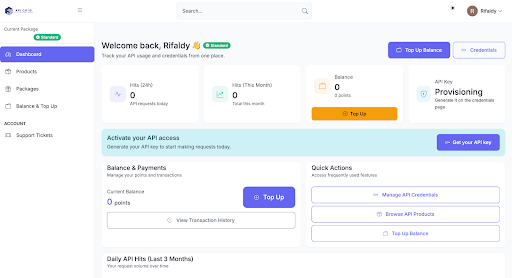
After successfully logging in, you will need a “key” to run this article generation engine.
-
On the main dashboard page, click the “Get Your API Key” button.
-
You will be redirected to the Credentials page.
-
Click the “Get Your API Key” button once more to generate your unique code.
⚠️ IMPORTANT WARNING: This API Key is your secret. Never share it with anyone. The system calculates the article quota based on this key. If others use it, your free quota could be used up by them!
Step 3: Check Your Free Quota (30 Articles/Month!)
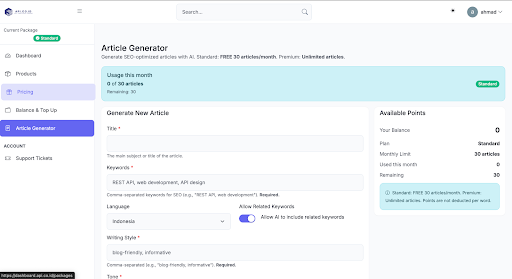
Go to the Article Generator menu on the left sidebar.
Here you can see your account status. What’s generous about Api.co.id:
-
Free User: You get an allocation of 30 free articles every month. This is enough to manage daily blog content!
-
Premium User: If you need more, the unlimited article generation option is available.
Step 4: Fill in the Article Details (The Magic Happens Here)
For the AI to write like a human, you need to provide clear instructions. Fill out the available form with the following details:
-
Title: Enter the topic or a draft title for the article you want to create.
-
Keyword: List the main keywords that must be included in the article.
-
Language: Select the target language (e.g., Indonesian or English).
-
Allow Related Keyword: [Recommendation: Check ✅]. This feature allows the AI to automatically add related (LSI) keywords, making your article richer and easier to find on Google.
-
Writing Style: Choose the writing style (e.g., Informative, Storytelling).
-
Tone: Determine the voice tone (e.g., Friendly, Professional, Witty).
-
Search Intent: What is the goal of the person searching for this article? (e.g., Informational for seeking info, or Transactional for selling).
-
Point of View: The writer’s perspective. You can ask the AI to act as a “Senior Programmer,” “Doctor,” or a “Confidant.”
-
Audience: Who is your target reader? (e.g., Beginners, Students, Professionals).
-
Additional Prompt: Special extra instructions for the AI (optional).
Step 5: Click Generate and Await Results
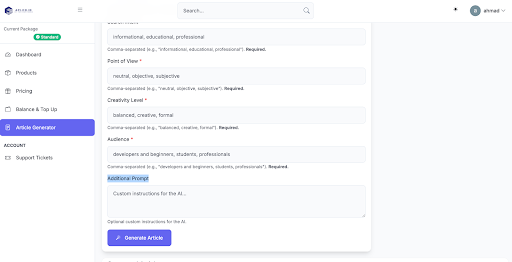
Once the form is complete, click the Generate Article button.
Let the AI work for a few seconds. One smart feature here is Auto-Title Optimization. If the title you initially entered is too short or not “punchy” enough for SEO, the AI will automatically revise it into a more engaging and optimal title.
Step 6: Review, Copy, and Utilize Metadata
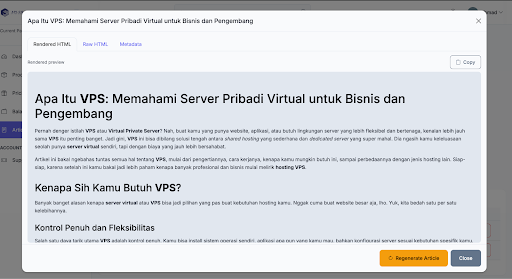
After the process is complete, your article will appear at the bottom.
-
Copy Article: You can directly copy the text. If you want to paste it straight into WordPress or Blogspot, switch to the Raw HTML tab and click Copy HTML so that the formatting (headings, bold, lists) remains intact.
-
Get Keywords (Metadata): Don’t forget to open the Metadata tab. There, you’ll find a summary and keywords that you can use to fill in the Tags or Categories on your blog.
The Regenerate Feature
Not satisfied with the result? Don’t worry, you can press the Regenerate Article button to create a new version. (Note: Regenerating the article will consume 1 monthly article quota.)
Is the Article Quality Good & Safe?
This is the most important question. Is this free article worth publishing? Let’s look at the facts:
1. Passes Plagiarism Check (100% Unique)
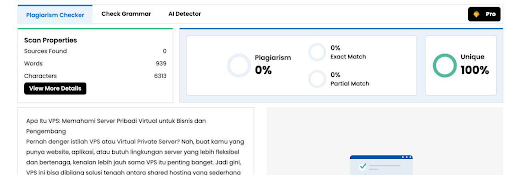
The articles generated by Api.co.id are unique. When tested using plagiarism checker tools, the results show 100% Unique. You don’t have to worry about Google penalties due to duplicate content.
2. Flowing Language & Human-Friendly
Many AI writers produce stiff writing. However, with the right Tone and Point of View settings in Api.co.id, the results are very fluent, like human-written content.
You can see an example of the generated article output here: [See Article Example] (https://pastebin.com/v7wZELGL).
Bonus: Generate Articles via API (Great for Automation!)
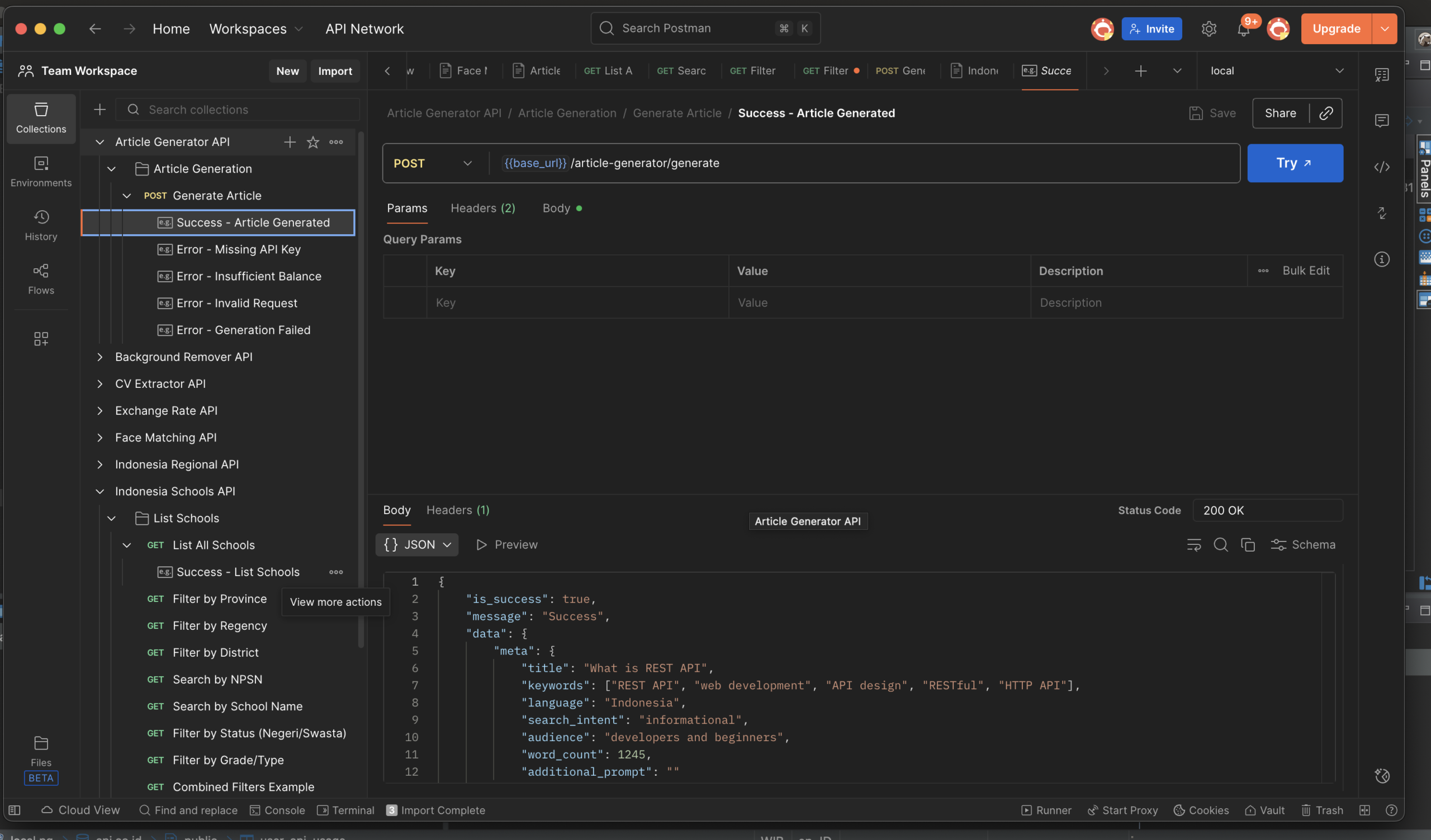
Besides using the user-friendly dashboard, Api.co.id also provides an advanced feature for developers or those who want to automate content production in large quantities. You can generate articles directly via API!
The steps are very easy:
-
Go to the Products menu on the dashboard.
-
Select Article Generator API.
-
Click Open Documentation.
In the documentation page, you can see various use cases for using the Article Generator via API. Furthermore, if you are a Postman user, you can download the documentation directly into your Postman application.
Don’t forget to use the API Key you created in Step 2 as authentication (Auth) so the system can process your article requests. This feature is very powerful for those who want to build an auto-blog or their own application.
Conclusion: Why Pay When You Can Get It Free?
Api.co.id provides a smart solution for you to be productive without the headache of paying for expensive tool subscriptions. With 30 free articles every month, full SEO features, API access capability, and natural results, there’s no reason not to try it now.
Ready to create your first article?
Try the Free Article Generator Now at Api.co.id
[elementor-template id=”315″]